Opening a case
A case opens in two ways: by escalating an alert from the queue (the “Escalate” button or the E key), to a new case or an existing one; or from a transaction’s page, with “Open a case”. The alert then leaves the alert queue and is investigated in the case.
The list of cases
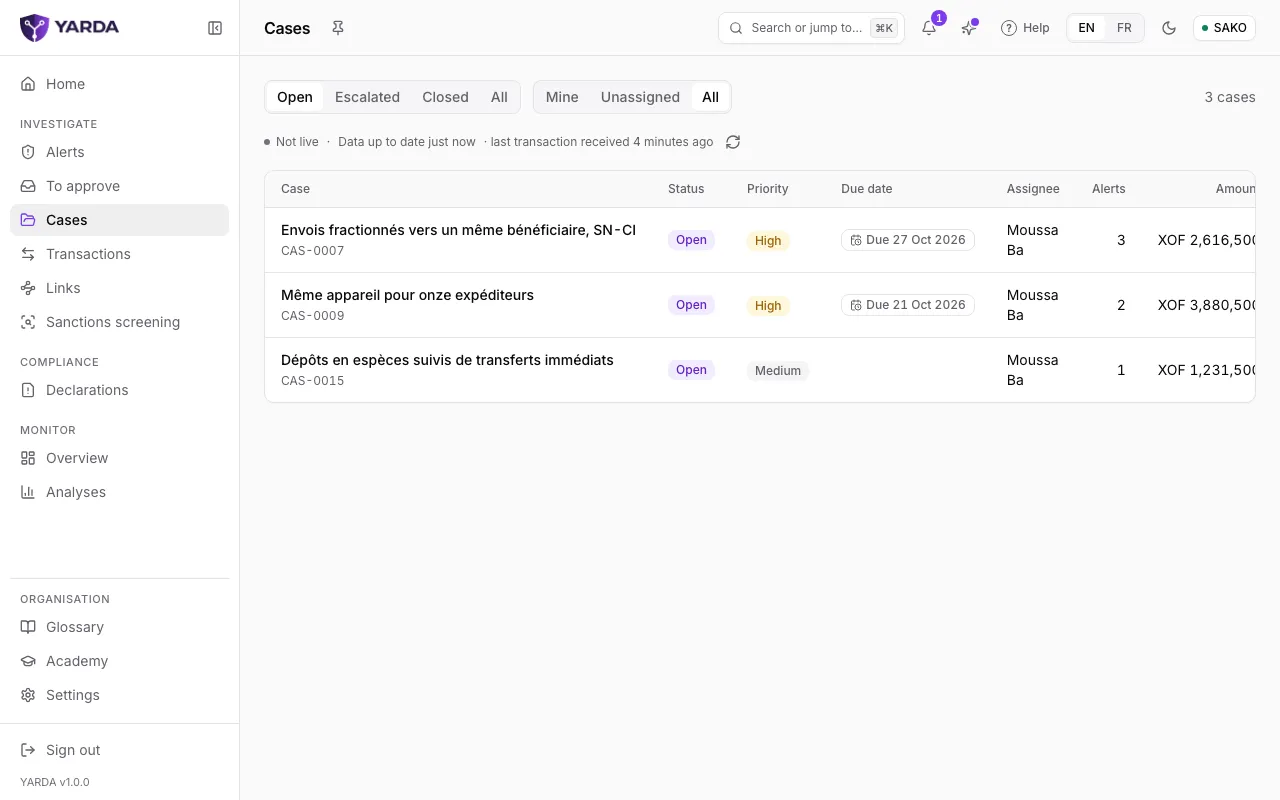
“Cases”, under Investigate, lists your organisation’s cases. Filter by state (“Open”, “Escalated”, “Closed”, “All”) and by person (“Mine”, “Unassigned”, “All”). Each row gives the status, the priority, the due date, the assignee, the number of alerts, the amount and the latest activity.
Your home page lists your open cases under “My cases”, the most overdue and the soonest due first. In the search (Ctrl K), a case’s reference (CAS-0007) opens it directly.
Investigating the case
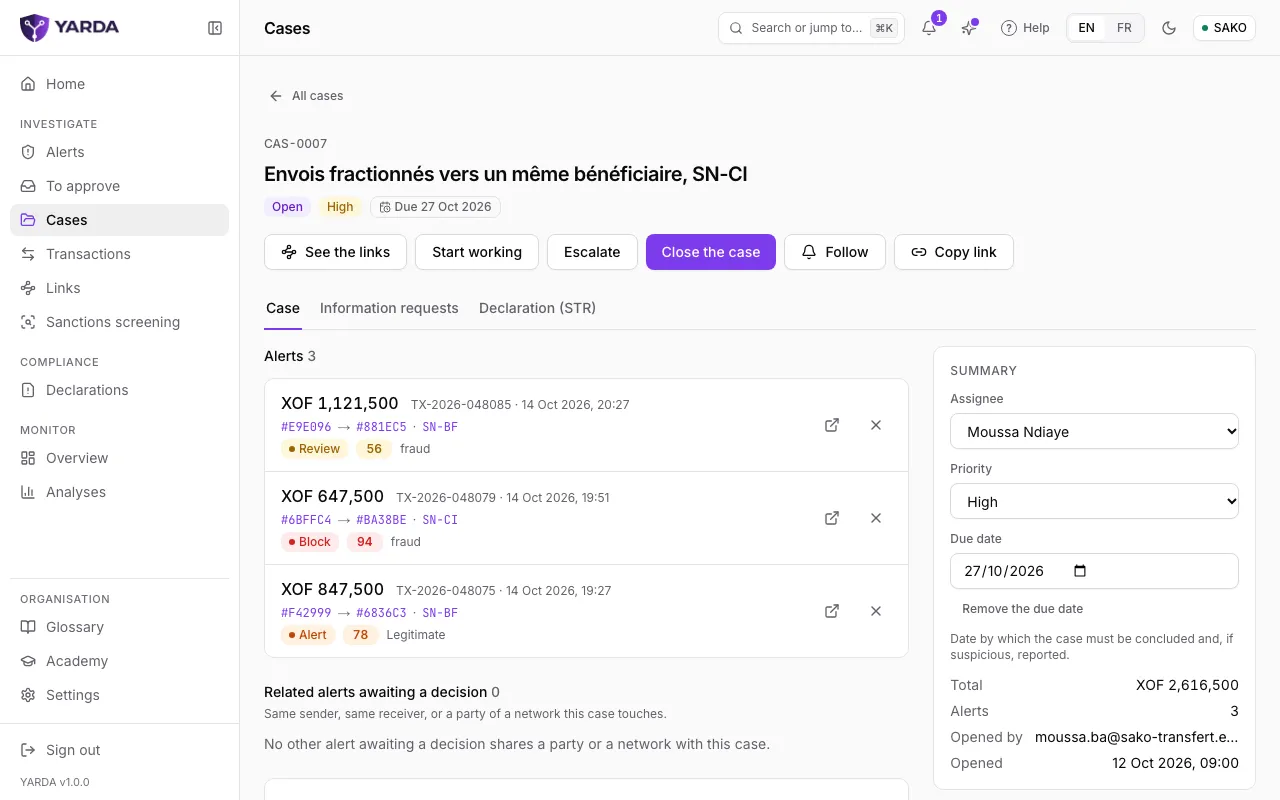
At the top of the case: its reference, its title, its status, its priority and its due date, then the case’s actions.
- “Start working” moves the case to “In progress”.
- “Escalate” raises it to a higher level; “Back to in progress” brings it back.
- “Follow” sends you a notification for every change of the case; “Copy link” gives its address.
- “See the links” opens the network of the parties the case touches.
In the “Case” tab, the list of the case’s alerts, each with its amount, decision, score and label; the cross removes an alert. Further down, “Related alerts awaiting a decision” offers the alerts that share a sender, a receiver or a network with the case: “Add to the case” brings them in.
The “Summary” panel sets the assignee, the priority and the due date, the day by which the case must be concluded and, if suspicious, reported. It also totals the amount and the number of alerts.
Comments and attachments
The “Activity” section traces everything that happened to the case and its alerts, newest first. Write a comment, then “Comment”: it joins the timeline with your name and the date.
When your organisation’s policy allows them, “Attachments” takes your files with “Attach a file”. Each file is scanned by the antivirus before it is kept, then stored encrypted for as long as the case. Withdrawing a file needs a reason, and a supervisor can still retrieve it.
Asking the customer for information
The case’s “Information requests” tab prepares a request to the customer: source of funds, relationship with the beneficiary, up-to-date identity document, purpose of the transaction, occupation and income, or a free request. Choose the template, the customer’s language (French or English) and, if you wish, the operation the message names, by its date and amount. The console writes a long message for e-mail or letter and a short one for SMS or WhatsApp, which you read and edit.
YARDA does not know your customers’ contact details: your institution sends the message through its own channel, then you record the day and the channel with “Mark as sent”. With “Create the reply link”, the message carries a personal, secure link: the customer replies there and uploads documents, scanned by the antivirus and attached to the case, without seeing anything of the case. The link is shown only once and takes a single reply.
Past the due date without a reply, the request shows as “Overdue” in the case and on your home page: “Record a reminder” sets a new due date. A reply received through your own channels is recorded with “Enter a reply”. Finally, close the request with its outcome: complete, incomplete, no reply or withdrawn. When your policy says so, a second person approves the request before it is sent.
Closing the case
“Close the case” opens the closure: choose the conclusion (“Fraud confirmed”, “Legitimate” or “Inconclusive”), the fraud type where relevant, and write the summary of what the investigation established. A box offers to label the alerts not yet labelled with that conclusion; those already labelled keep theirs.
A closed case reopens with “Reopen”, if your role reaches the one your organisation’s policy sets. Once the suspicion is established, the report is prepared in the case’s “Declaration (STR)” tab: see the guide to reporting to the CENTIF.
Screenshots taken on the fictitious demonstration data, on .