The organisation policy
“Organisation policy”, in the Configure section, brings together your organisation’s own settings, in tabs: Decisions, Four eyes, Typologies, Notifications, Governance, Alert queue, Security and access, Models and learning, Cases, Compliance, Data and connectors, Investigation copilot, Identity verification (when your organisation has this optional module) and Profile.
Two settings set the data your organisation sends with each transaction. In “Profile”, “Type of institution” says the service you run, by your licence category. In “Data and connectors”, “Analysis of alerts” says whether you entrust it to YARDA, which then receives the parties’ names and the sender’s identification, or carry it out yourselves, keeping that identification and attesting it. The data the models need is asked for either way; “Getting started” shows the resulting list and the share of your transactions that carries each item.
Supervisors read it; only a client admin changes it. Every change creates a new version, kept with its author, its date and its reason in your audit trail.
Changing an option
- Change one or more options of the tab. The foot of the page counts the options changed and not yet saved; “Undo the changes” clears them.
- Choose “Save”, give the reason for the change, then “Save the changes”.
- For an option marked “Sensitive”, the console asks you to confirm it is you.
Changing a threshold
In the “Decisions” tab, “Decision thresholds” sets the scores, out of 100, from which a transaction goes to review, to alert or to block. As you move the thresholds, you see on your labelled history the frauds that would have been missed, the legitimate transactions sent to analysts and the volume of each band, over 30, 90 or 180 days. “Thresholds the history suggests” proposes values, and changes nothing until someone saves them.
The same tab decides whether YARDA may block: while “Allow blocking” is off, anything that would call for a block becomes an alert for an analyst.
Some typology amounts are set by a text of your jurisdiction, chosen in the “Compliance” tab (WAEMU or France): in the WAEMU, structuring is looked for under the threshold for declaring cash transactions to the CENTIF, 15,000,000 FCFA. In the “Typologies” tab, each of these amounts shows the text in force and says whether the rule uses the text’s amount, another value your organisation chose, or whether no text sets it. Changing jurisdiction removes no data and shortens no retention period. An institution answering to two laws, for instance licensed in France and paying out in the WAEMU, adds the second under “Other jurisdictions”: the sanctions lists each law requires are then screened against and shown as required by law, and cannot be switched off; the longest legal minimum of retention applies.
Four eyes
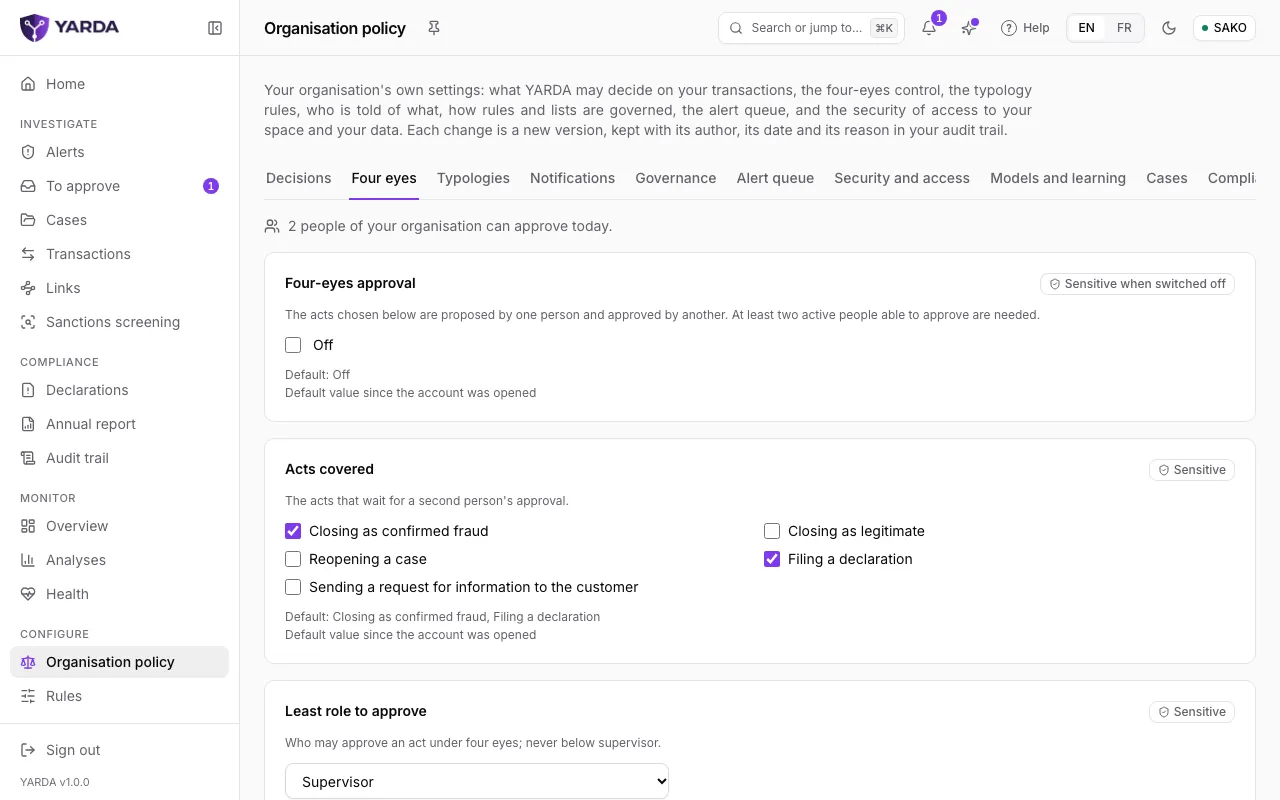
The “Four eyes” tab turns four-eyes approval on and chooses the acts covered: closing as confirmed fraud, closing as legitimate, reopening a case, filing a declaration, sending a request for information to the customer. “Least role to approve” never goes below supervisor. At least two active people able to approve are needed: the page says how many your organisation has today.
Writing a rule
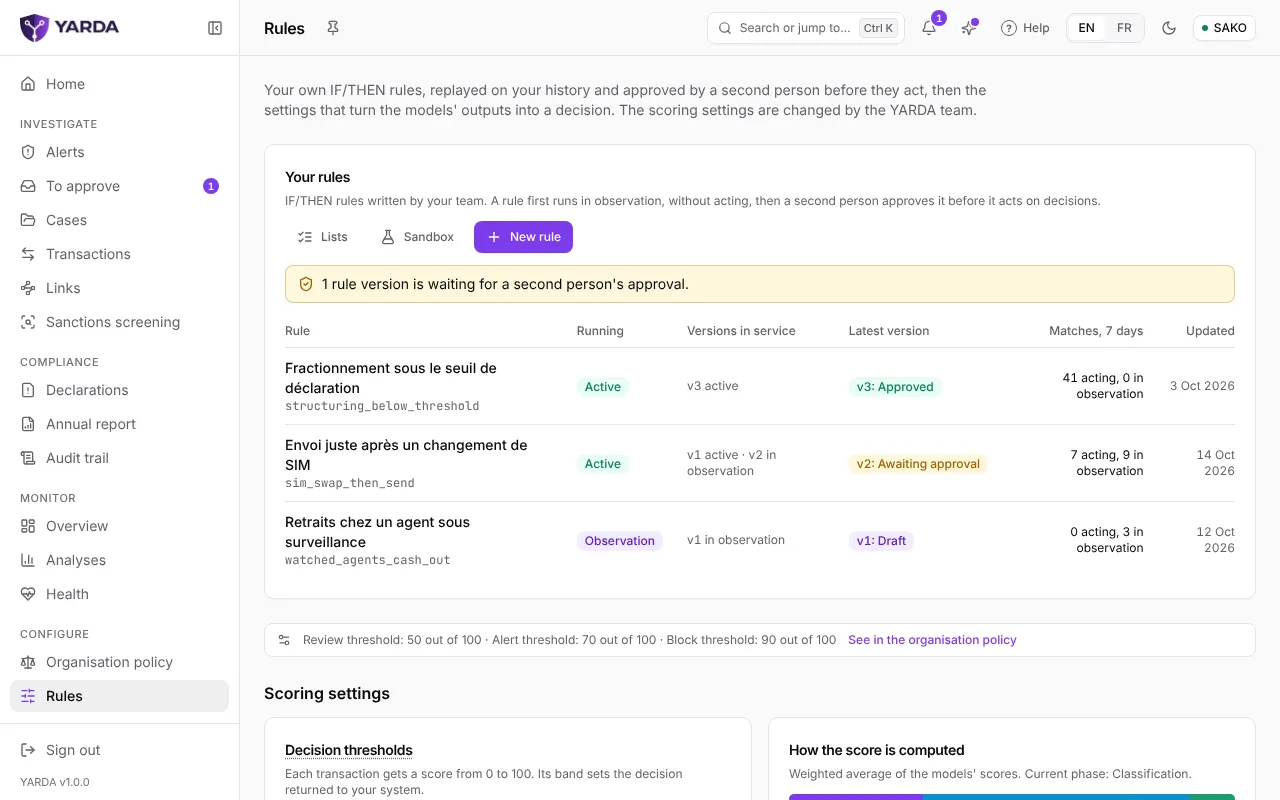
“Rules” lists your IF/THEN rules, how they run (“Active”, “Observation” or “Off”), their versions and their matches over seven days. “New rule” opens the “Scenario library”: choose “Use this scenario” to start from a ready-made rule, or “Start from a blank rule”. “Save the draft” keeps the rule, which has no effect at that stage.
- Conditions bear on the transaction, recent activity, your lists, a behaviour YARDA measures or a built-in typology. Combine them with “Add a condition” and “Add a group”, as AND or OR.
- Actions: “Flag”, “Raise the score” or “Force a decision”.
- “The rule in words” shows what analysts will read, in French and in English.
Replaying, observing, having it approved
- “Replay on history”: choose the period, then “Replay”. You see the matches per day, the new alerts for your team against its capacity, the overlap with the models and, where you labelled transactions, precision and recall.
- “Put in observation”: the version is evaluated on every new transaction without ever changing a decision.
- “Submit for approval”: a replay finished less than 30 days ago is needed.
- A second person chooses “Approve and activate” or “Reject”. The author and the submitter may not approve their own version; the least role is set in the policy’s “Governance” tab.
“Switch the rule off” stops all its versions in service; “Restore a version” brings back a version already approved.
Lists and the sandbox
“Lists” keeps your block, watch and allow lists: customers, phone numbers, wallets, merchants, agents, cash points, devices or countries. Add an entry by hand, with a reason and an optional expiry date, or “Import a CSV”. When your policy asks for it, an addition to a block or allow list waits for a second person’s approval.
“Sandbox” tries a transaction as YARDA would score it now, against your real history, lists and rules, and optionally a rule version being written. Nothing is recorded: no prediction, no transaction, no alert.
Screenshots taken on the fictitious demonstration data, on .